Original: $33,469.00
-70%$33,469.00
$10,040.70The Story
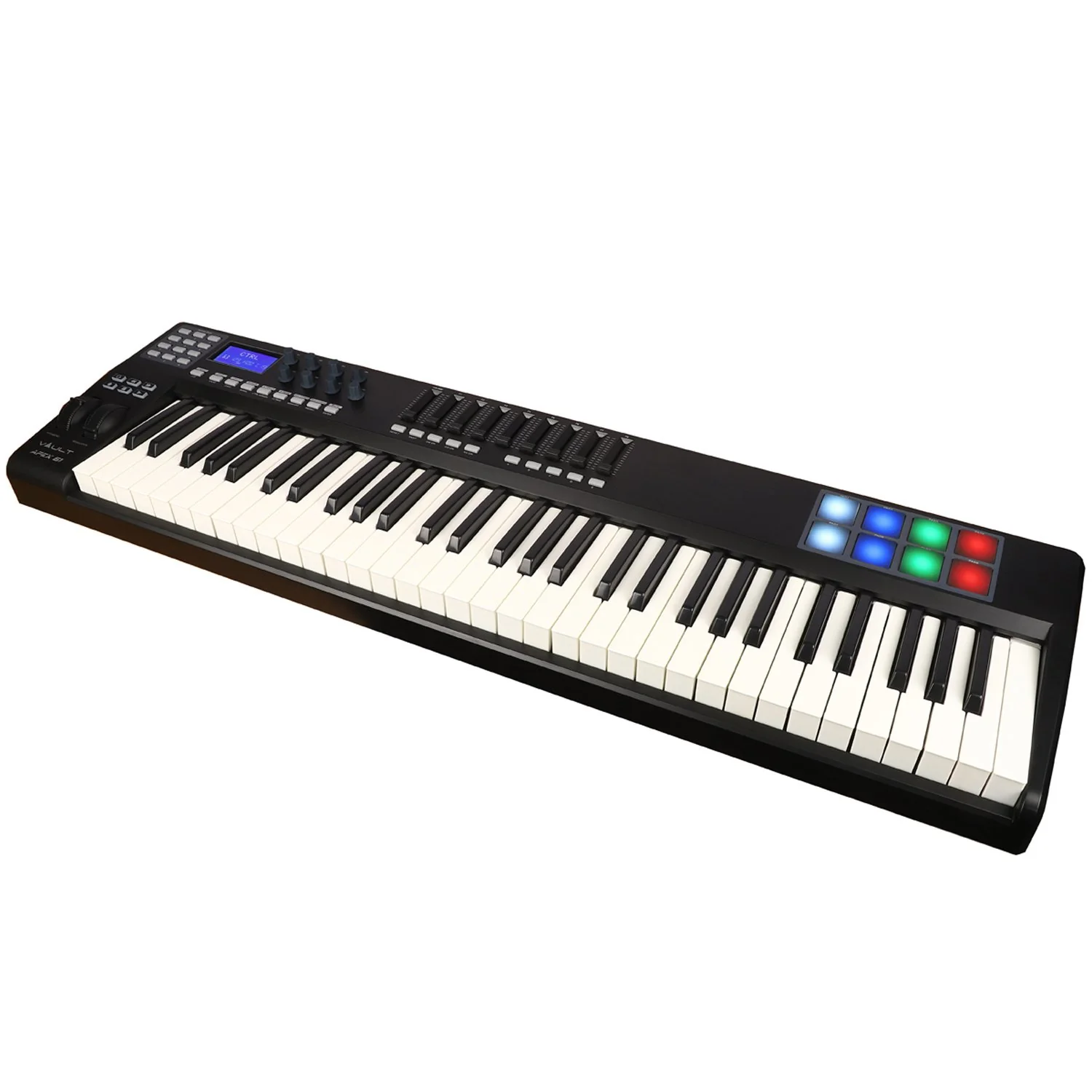
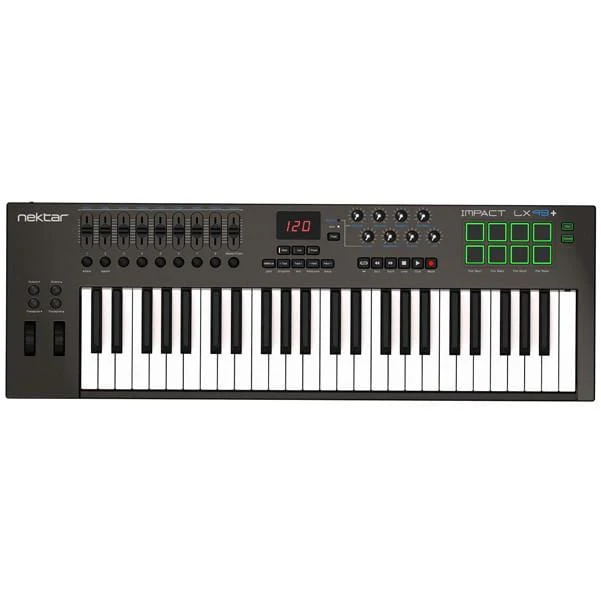
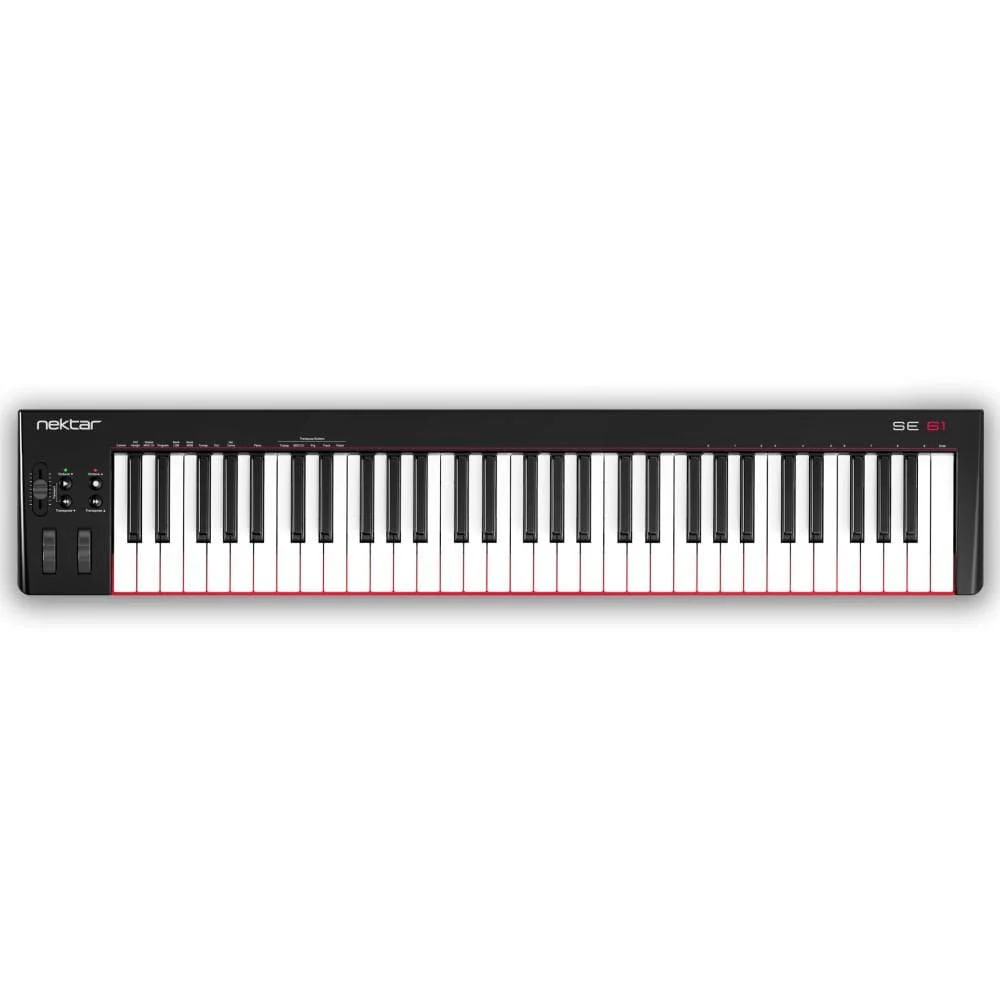
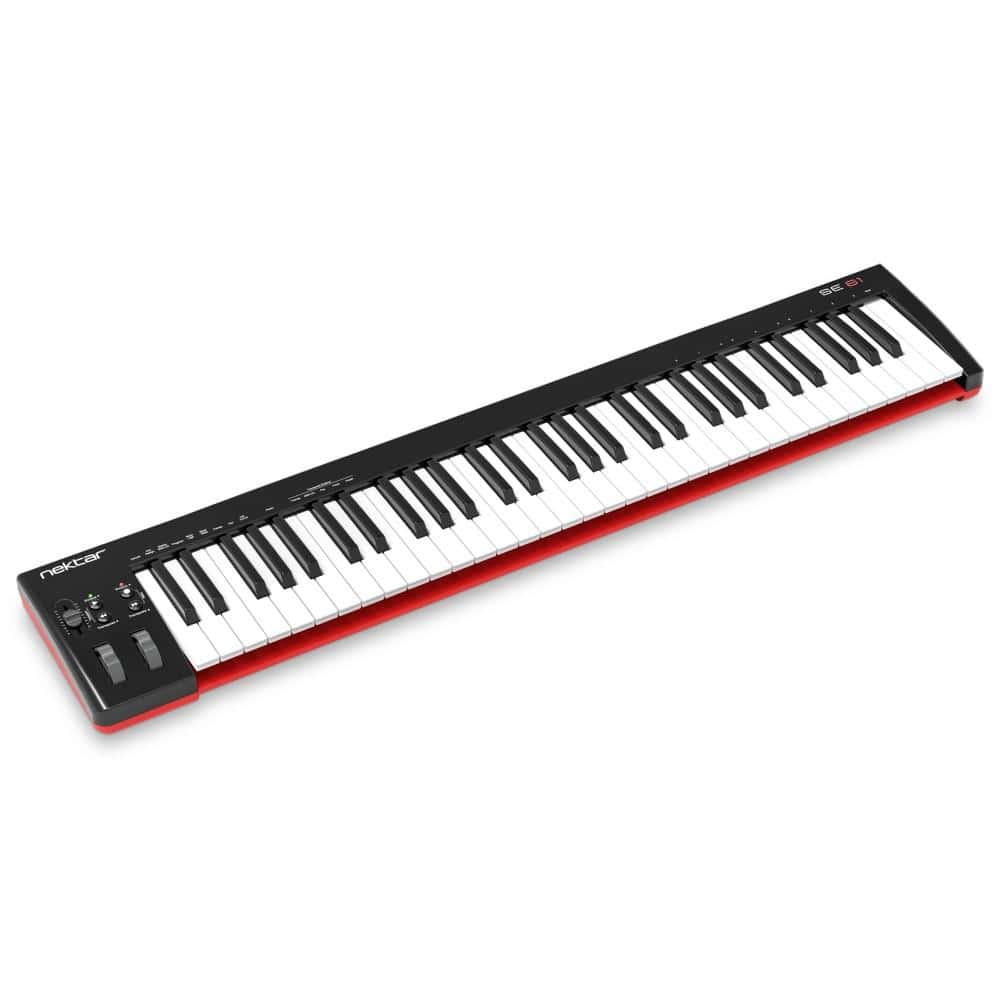
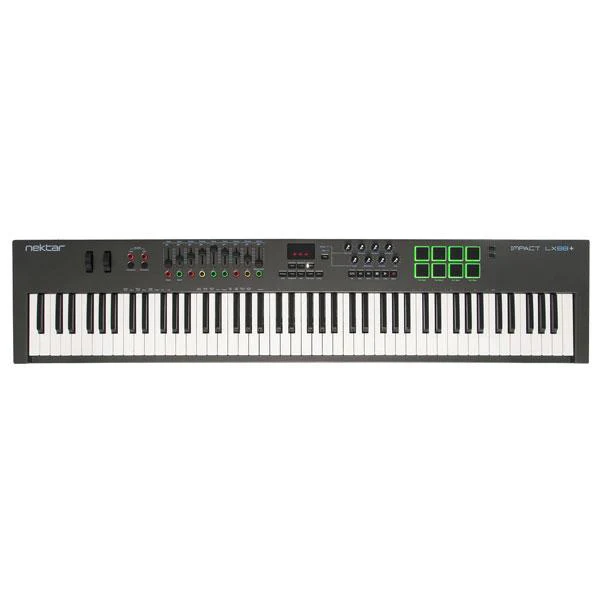
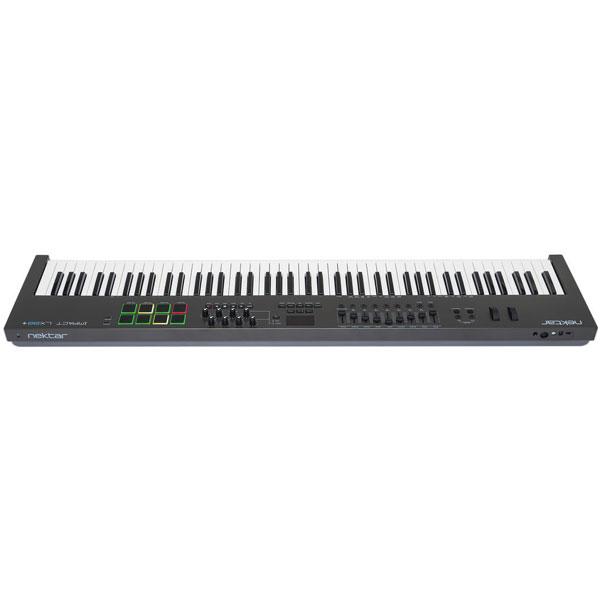
The Impact LX88+ is a unique USB MIDI controller keyboard designed for keyboard players looking for extra reach. It's jam-packed with intelligent, expressive performance control and hooks up automatically to your DAW! If you prefer to control MIDI hardware, use the
Nektar DAW Integration custom designed for most of the popular

IMPACT LX88+ MIDI KEYBOARD
The 88 note velocity sensitive keyboard is a semi-weighted action with medium tension. Carefully balanced with an even and dynamic
 SPLIT, LAYER & TRANSPOSE BUTTONS
The Impact LX88+ keyboard can send on up to 3 zones at the same time. Press Layer to add the layer zone and split to add the split zone. When split or layer is active, the corresponding LED button is lit so there is no confusion. Each zone can be programmed to send on
This is where the 2 Transpose buttons below the Split and Layer buttons come in. Four functions are selectable on the fly so you can make important changes at any time, even while you play. A key combination makes assignment quick and easy with the LED display telling you which function you have selected. Choices include sending out MIDI Program Messages, change the Global MIDI Channel or select any of Impact LX88+'s 5

LED BUTTONS
The 9 LED buttons can be programmed with a variety of MIDI messages including sending specific MIDI Program changes. The last MIDI Program message sent is remembered so a corresponding LED button illuminates correctly, even if Program was sent via, for example, the transpose buttons or the Setup menu. You can also assign the 8 pads to send Program messages so you'll have instant access to 17 buttons without changing preset or pad map.
Used with Nektar DAW Integration the LED buttons indicate status for a number of parameters. In Instrument mode, an instrument plugin's switch parameters can be learned with the LED telling you when it's on or off. In Mixer

PADS
For groove and beat creation, Impact LX'+s 8 velocity sensitive pads make life easy. Calibrated to trigger at a light touch, finger drumming is suddenly well within reach with a nice and even velocity response. Each pad can be assigned any MIDI note number or MIDI cc message for use as MIDI trigger or toggle buttons. But the best part is the "Pad Learn“ feature, which allows you to just select a pad, play the note or drum sound you want on the keyboard and assignment is done. No complex menus for a task that's essential to getting the most out of your pads. Assignments are stored
The 4 color LED illumination not only looks good but also indicate which pad map is currently loaded and can even tell you which type of MIDI message each pad sends. With Nektar DAW Integration, the pads are automatically mapped in for example Reason and
NEKTAR DAW INTEGRATION
Impact LX49+ and LX61+ software integration

TRANSPORT & NAVIGATION
The 6 dedicated transport buttons are always within reach and mapped to control Cycle, Rewind, Forward, Stop, Play

MIXER CONTROL
Press mixer and the first 8 Impact LX+ faders are assigned to control 8 channels of your DAWs mixer. The alternate Bank up/down function moves control assignments to the next or previous group of 8 channels. The 9th fader is assigned to the currently selected channel so you always know where to find it.
The buttons under the faders follow the channel assignment of their corresponding fader and can control Mute or Solo. Pan for the group of 8 channels controlled by the faders is handled by the 8 pots. Fader 9 is used for control volume of the current mixer channel as well as master volume.
To help you get the best out of your screen real estate, Impact LX also has shortcuts for opening and closing your DAWs mixer window so you can see what's going on.

The Instrument button assigns all controls to instrument parameters once an instrument track is selected in your DAW. Nektar mapping ensures this is done automatically, so you can start tweaking immediately. Better still, many devices and plugins are pre-mapped to match the blue control labels on the Impact LX+.
The Page Button
With Nektar DAW Integration, a page button allows you to switch between Default settings and User settings with LEDs clearly indicating which page is active. Each page changes assignments of the 8 pots, leaving the User page for example for your own assignments. Many pre-mapped plugins take advantage of the two pages*. So you could use it for immediate access to both, oscillator 1 and oscillator 2 parameters from the pots, switching between oscillators using the Page button.
In addition, a typical control layout places amp and filter ADSR envelopes on the faders for instant access regardless of whether the Default or User page is selected.
"Grab" and Nektar Maps
The Nektar "Grab" mode
* Implementation depends on the DAW. Check how Impact LX+ works with your DAW in the section below.
USER PRESETS & PROGRAMMING MIDI
If you mainly want to use your DAW's MIDI learn features, Impact LX+ is easy to come to grips with.
There are 2 non-overlapping, read-only presets on the Mixer and Instrument buttons so you can quickly switch between independent and unique setups. These presets are also used for Impact LX+'s integrated DAW support.
In addition, 5 user presets are programmed for GM compatible and "learn-friendly" setups plus they can
With the Impact LX's "Null" function switched to on, parameter values are stored when you switch between presets so you avoid parameter jumping.
CONNECTIVITY & APPLE iOS
- On the back of Impact LX+ are the connection points including:
- USB port for power and data connection to your computer or iPad (via optional USB camera connection kit)
-
Foot switch jack, assignable (pedal not included) - On/Off switch
As a low powered USB device, Impact LX+ works with all USB devices that feature a
And if you are often on the move you can easily hook your Impact LX+ keyboard to an Apple iPad using the iPad’s optional USB camera connection kit (optional). Of
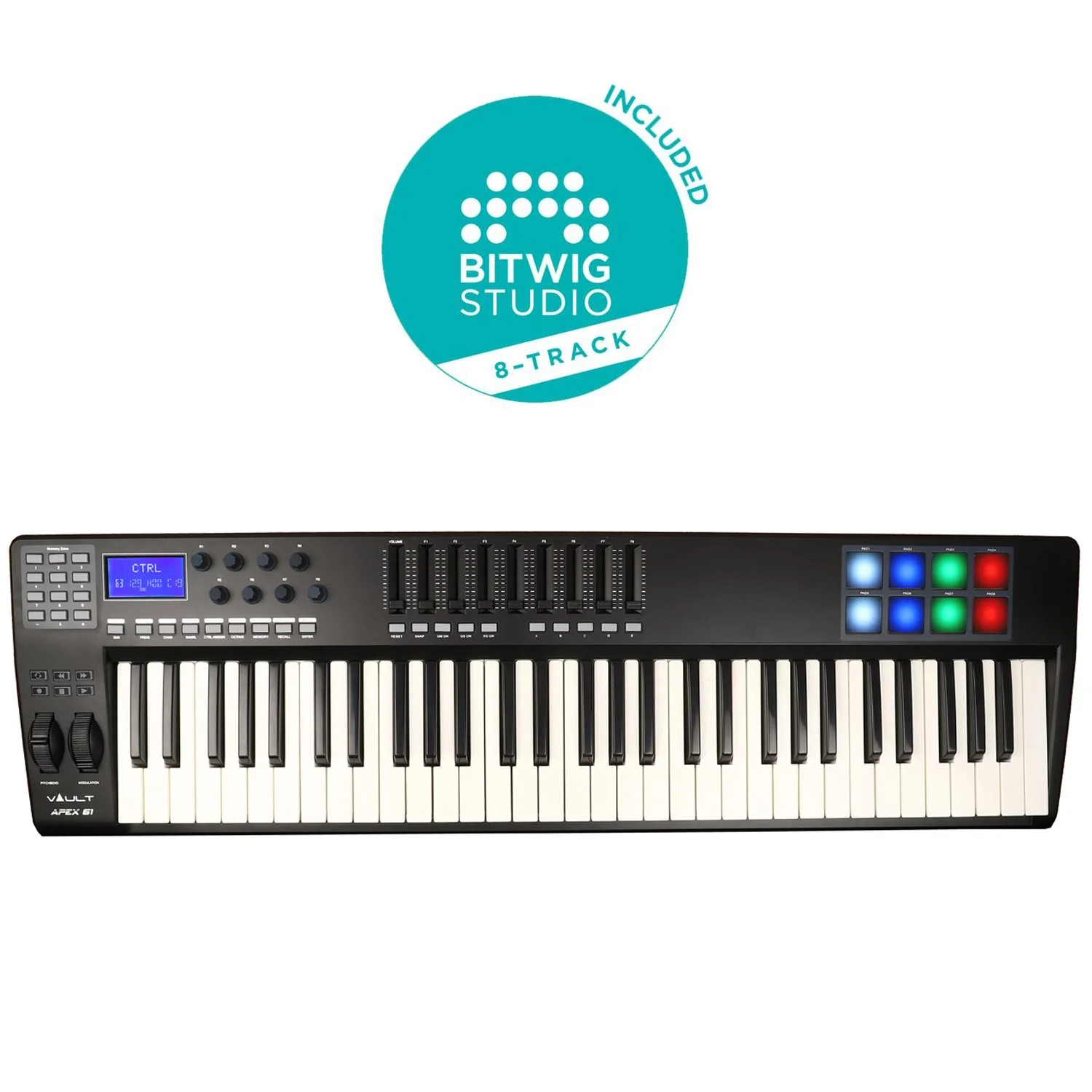
BITWIG 8-TRACK INCLUDED
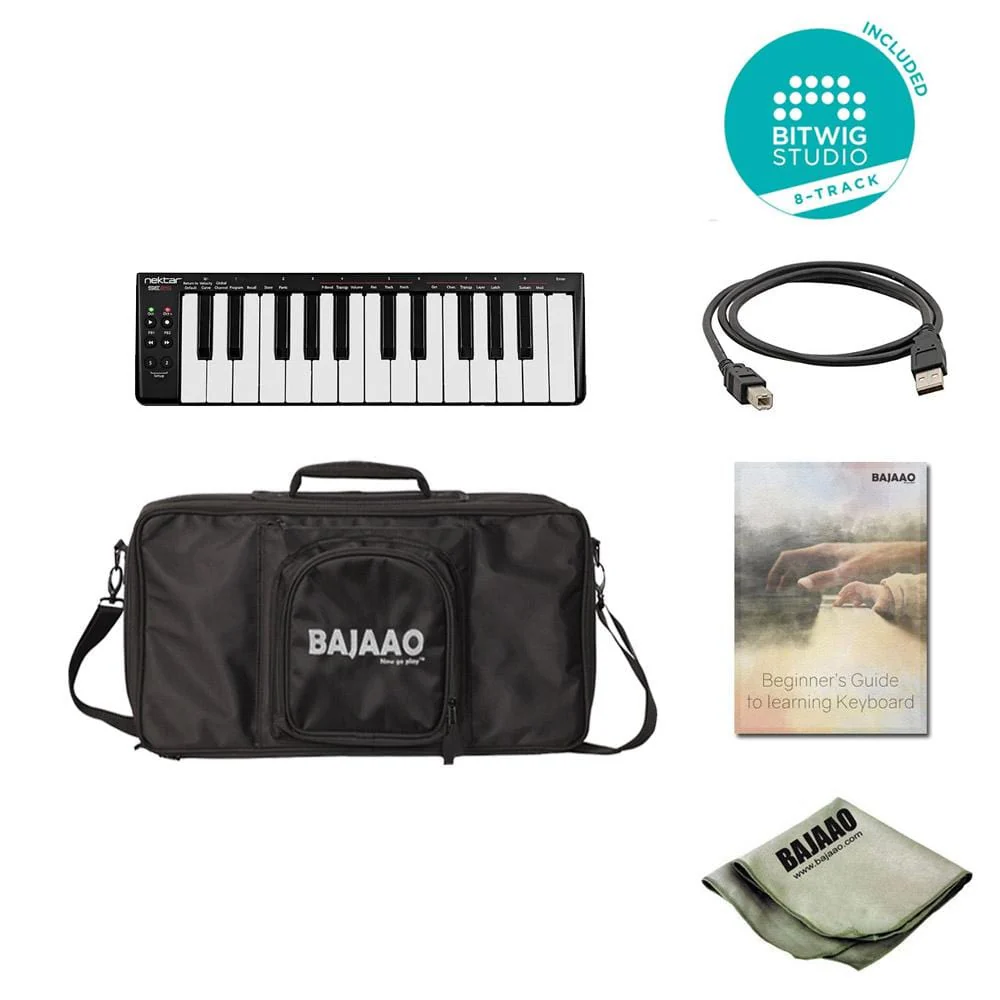
Bitwig 8-Track is included with every Impact LX+ so you can start producing, performing, and designing sounds like a pro from day one. Bitwig 8-Track gives you access to over 50 software instruments and effects for use on up to 8 audio or MIDI project tracks, and you can use any 3rd party VST plug-ins you might own, too. The ‘Bitwig Essentials Package’, a highly versatile handpicked selection of loops, clips
Nektar DAW Integration supports Bitwig 8-Track, so using Nektar Impact LX+ and Bitwig 8-Track together is a fantastic combination. If you are just starting out, you will find it’s the perfect way to take your first steps in the world of digital music creation. And if you’re already familiar with using computer software, then you’ll be amazed at what this combination has to offer!
Specifications
Keyboard
Controls
Pads
|
Connections
Weight & Dimensions
System Requirements
Nektar DAW Integration
|
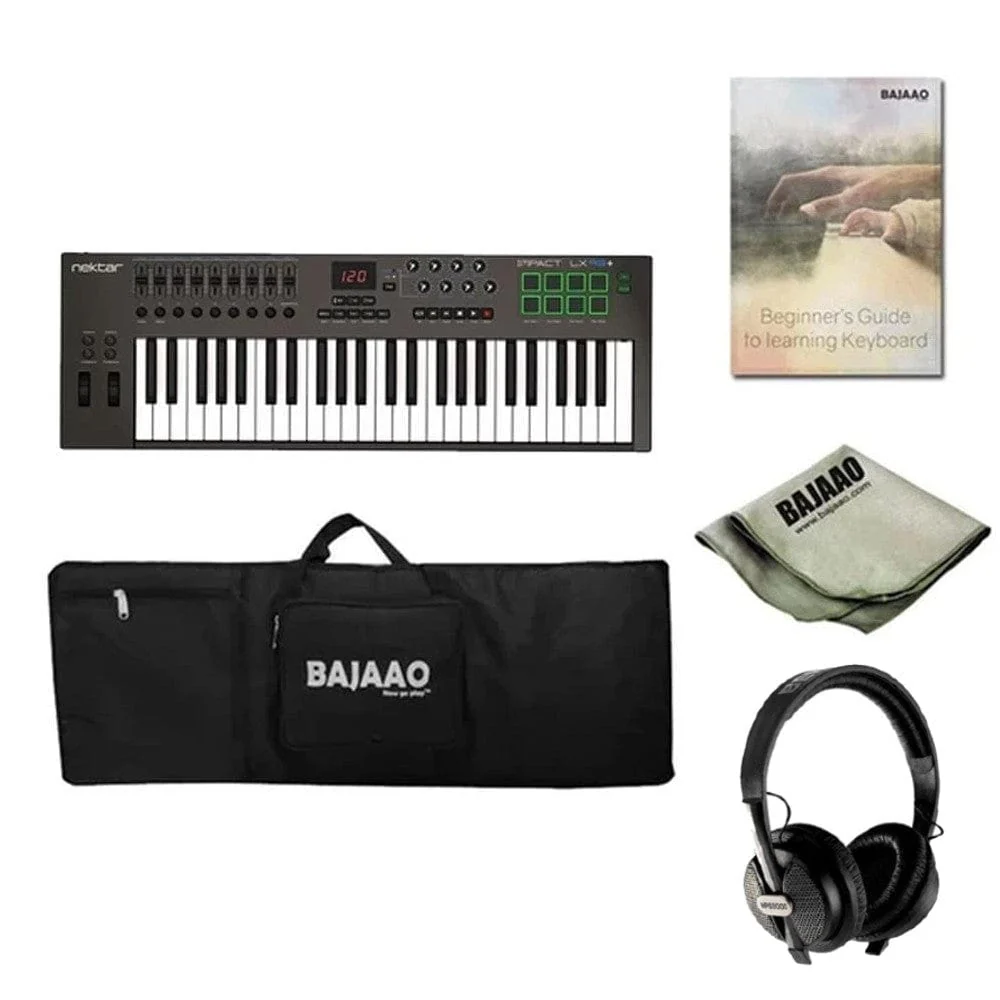
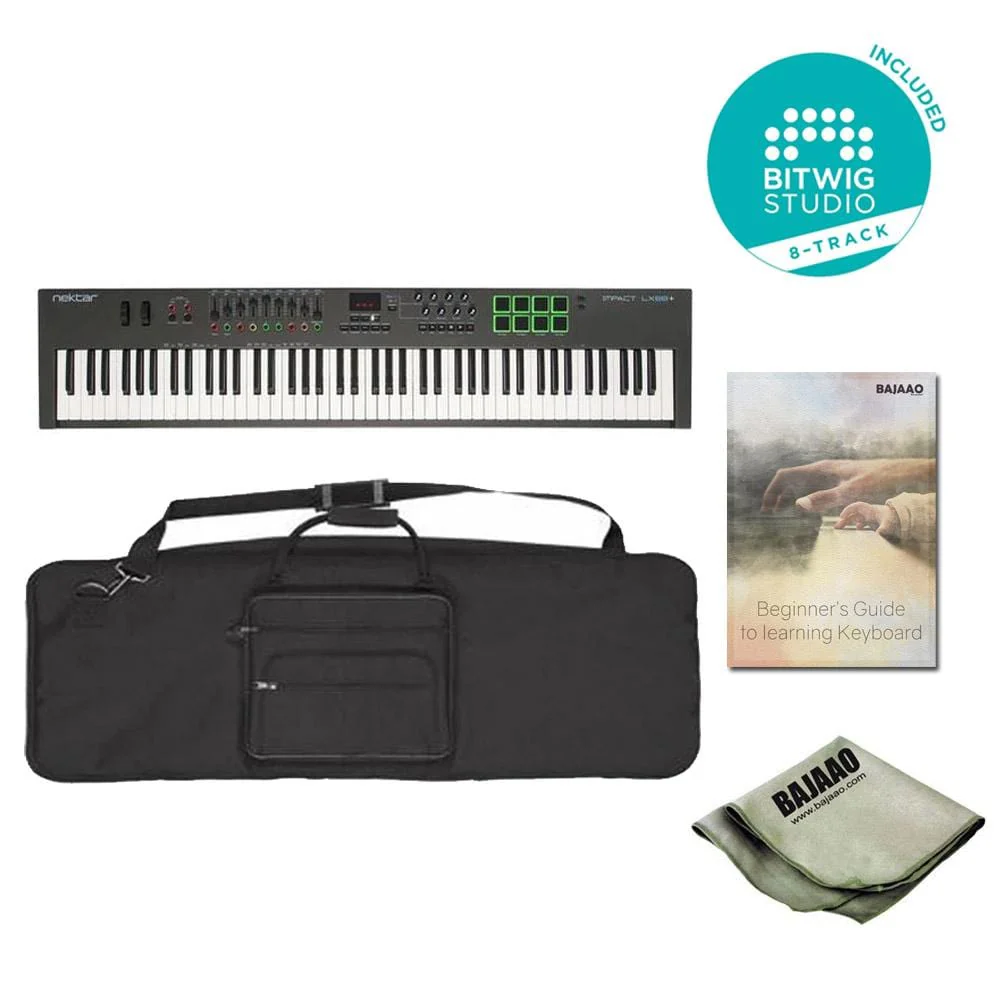
Buy BAJAAO Deluxe 88 Key Keyboard Gig Bag
The outer covering of the BAJAAO Deluxe 88-key Gig bag is heavy-duty 440D twill nylon to lock out dirt and spills. Inside, foam padding absorbs the bumps of normal handling. Edges and handles are made of thick parachute webbing for extra strength and durability. Includes carry handle, shoulder strap, and double jumbo zippers. Holds a 43" x 7" x 16" keyboard snugly.
Specifications:
- Water-resistant
- Heavy-duty Nylon outer
- 18mm High-density foam padding
- Luggage-grade zippers and extra stitching at stress points
- 2 Pockets for cables, adapter, and footswitch
- 58" x 7" x 20"
Bajaao Microfiber Guitar/Instrument Polishing Cloth:
The Bajaao Microfiber Polishing Cloth is made of 80% polyester and 20% nylon. One strand is 10 times finer than silk and 100 times smaller than a human hair. Microfiber is preferred for its very lightweight, super absorbency, and rapid drying properties. The polishing cloth rapidly absorbs up to 7 times its weight in moisture and can be used safely on any surface. Polishes your guitar to a brilliant shine.
Note: Using a microfiber cloth is essential while cleaning or polishing your guitar, because any regular cloth can damage the finish.
Colour of the cloth may vary from the picture.
"BITWIG 8-TRACK
The Compact Edition of Next Generation Workflow
Bitwig 8-Track, the trim and effective digital audio workstation to start producing, performing, and designing sounds like a pro. 8-Track includes the entire collection of Bitwig Studio devices for use on up to eight project tracks with audio or MIDI.
Bitwig 8-Track’s unified mapping system allows you to modulate any device or VST parameter using macro controls and modulator devices. Explore a new world of creative possibilities, including audio and note expressions, histogram-based value editing, layered editing, extensive bounce-in-place functions, automatic slicing, smart controller integration, and the Open Controller Scripting API. Every feature in Bitwig 8-Track is developed by musicians, for musicians."
"As the name suggests, this book has been written for the absolute beginner
and assumes no prior musical knowledge - just the desire to do it! The
contents are suitable for piano and / or electronic keyboard.
Items covered include:
• Understanding keyboard or piano
• Studying notes
• Easy, effective finger exercises
• Major scales
• Chords
• After completing this book, you will have a good basic understanding of
music theory as well as a good basic playing technique, paving the way for
more advanced study in your chosen field"
Note: Bitwig 8 Track not compatible with a 32 bit Windows System
Made in China
Details & Craftsmanship
Every detail has been carefully considered to bring you the perfect product.
Details & Craftsmanship
Every detail has been carefully considered to bring you the perfect product.
Description
The Impact LX88+ is a unique USB MIDI controller keyboard designed for keyboard players looking for extra reach. It's jam-packed with intelligent, expressive performance control and hooks up automatically to your DAW! If you prefer to control MIDI hardware, use the
Nektar DAW Integration custom designed for most of the popular
IMPACT LX88+ MIDI KEYBOARD
The 88 note velocity sensitive keyboard is a semi-weighted action with medium tension. Carefully balanced with an even and dynamic
SPLIT, LAYER & TRANSPOSE BUTTONS
The Impact LX88+ keyboard can send on up to 3 zones at the same time. Press Layer to add the layer zone and split to add the split zone. When split or layer is active, the corresponding LED button is lit so there is no confusion. Each zone can be programmed to send on
This is where the 2 Transpose buttons below the Split and Layer buttons come in. Four functions are selectable on the fly so you can make important changes at any time, even while you play. A key combination makes assignment quick and easy with the LED display telling you which function you have selected. Choices include sending out MIDI Program Messages, change the Global MIDI Channel or select any of Impact LX88+'s 5
LED BUTTONS
The 9 LED buttons can be programmed with a variety of MIDI messages including sending specific MIDI Program changes. The last MIDI Program message sent is remembered so a corresponding LED button illuminates correctly, even if Program was sent via, for example, the transpose buttons or the Setup menu. You can also assign the 8 pads to send Program messages so you'll have instant access to 17 buttons without changing preset or pad map.
Used with Nektar DAW Integration the LED buttons indicate status for a number of parameters. In Instrument mode, an instrument plugin's switch parameters can be learned with the LED telling you when it's on or off. In Mixer
PADS
For groove and beat creation, Impact LX'+s 8 velocity sensitive pads make life easy. Calibrated to trigger at a light touch, finger drumming is suddenly well within reach with a nice and even velocity response. Each pad can be assigned any MIDI note number or MIDI cc message for use as MIDI trigger or toggle buttons. But the best part is the "Pad Learn“ feature, which allows you to just select a pad, play the note or drum sound you want on the keyboard and assignment is done. No complex menus for a task that's essential to getting the most out of your pads. Assignments are stored
The 4 color LED illumination not only looks good but also indicate which pad map is currently loaded and can even tell you which type of MIDI message each pad sends. With Nektar DAW Integration, the pads are automatically mapped in for example Reason and
NEKTAR DAW INTEGRATION
Impact LX49+ and LX61+ software integration
TRANSPORT & NAVIGATION
The 6 dedicated transport buttons are always within reach and mapped to control Cycle, Rewind, Forward, Stop, Play
MIXER CONTROL
Press mixer and the first 8 Impact LX+ faders are assigned to control 8 channels of your DAWs mixer. The alternate Bank up/down function moves control assignments to the next or previous group of 8 channels. The 9th fader is assigned to the currently selected channel so you always know where to find it.
The buttons under the faders follow the channel assignment of their corresponding fader and can control Mute or Solo. Pan for the group of 8 channels controlled by the faders is handled by the 8 pots. Fader 9 is used for control volume of the current mixer channel as well as master volume.
To help you get the best out of your screen real estate, Impact LX also has shortcuts for opening and closing your DAWs mixer window so you can see what's going on.
The Instrument button assigns all controls to instrument parameters once an instrument track is selected in your DAW. Nektar mapping ensures this is done automatically, so you can start tweaking immediately. Better still, many devices and plugins are pre-mapped to match the blue control labels on the Impact LX+.
The Page Button
With Nektar DAW Integration, a page button allows you to switch between Default settings and User settings with LEDs clearly indicating which page is active. Each page changes assignments of the 8 pots, leaving the User page for example for your own assignments. Many pre-mapped plugins take advantage of the two pages*. So you could use it for immediate access to both, oscillator 1 and oscillator 2 parameters from the pots, switching between oscillators using the Page button.
In addition, a typical control layout places amp and filter ADSR envelopes on the faders for instant access regardless of whether the Default or User page is selected.
"Grab" and Nektar Maps
The Nektar "Grab" mode
* Implementation depends on the DAW. Check how Impact LX+ works with your DAW in the section below.
USER PRESETS & PROGRAMMING MIDI
If you mainly want to use your DAW's MIDI learn features, Impact LX+ is easy to come to grips with.
There are 2 non-overlapping, read-only presets on the Mixer and Instrument buttons so you can quickly switch between independent and unique setups. These presets are also used for Impact LX+'s integrated DAW support.
In addition, 5 user presets are programmed for GM compatible and "learn-friendly" setups plus they can
With the Impact LX's "Null" function switched to on, parameter values are stored when you switch between presets so you avoid parameter jumping.
CONNECTIVITY & APPLE iOS
- On the back of Impact LX+ are the connection points including:
- USB port for power and data connection to your computer or iPad (via optional USB camera connection kit)
-
Foot switch jack, assignable (pedal not included) - On/Off switch
As a low powered USB device, Impact LX+ works with all USB devices that feature a
And if you are often on the move you can easily hook your Impact LX+ keyboard to an Apple iPad using the iPad’s optional USB camera connection kit (optional). Of
BITWIG 8-TRACK INCLUDED
Bitwig 8-Track is included with every Impact LX+ so you can start producing, performing, and designing sounds like a pro from day one. Bitwig 8-Track gives you access to over 50 software instruments and effects for use on up to 8 audio or MIDI project tracks, and you can use any 3rd party VST plug-ins you might own, too. The ‘Bitwig Essentials Package’, a highly versatile handpicked selection of loops, clips
Nektar DAW Integration supports Bitwig 8-Track, so using Nektar Impact LX+ and Bitwig 8-Track together is a fantastic combination. If you are just starting out, you will find it’s the perfect way to take your first steps in the world of digital music creation. And if you’re already familiar with using computer software, then you’ll be amazed at what this combination has to offer!
Specifications
Keyboard
Controls
Pads
|
Connections
Weight & Dimensions
System Requirements
Nektar DAW Integration
|
Buy BAJAAO Deluxe 88 Key Keyboard Gig Bag
The outer covering of the BAJAAO Deluxe 88-key Gig bag is heavy-duty 440D twill nylon to lock out dirt and spills. Inside, foam padding absorbs the bumps of normal handling. Edges and handles are made of thick parachute webbing for extra strength and durability. Includes carry handle, shoulder strap, and double jumbo zippers. Holds a 43" x 7" x 16" keyboard snugly.
Specifications:
- Water-resistant
- Heavy-duty Nylon outer
- 18mm High-density foam padding
- Luggage-grade zippers and extra stitching at stress points
- 2 Pockets for cables, adapter, and footswitch
- 58" x 7" x 20"
Bajaao Microfiber Guitar/Instrument Polishing Cloth:
The Bajaao Microfiber Polishing Cloth is made of 80% polyester and 20% nylon. One strand is 10 times finer than silk and 100 times smaller than a human hair. Microfiber is preferred for its very lightweight, super absorbency, and rapid drying properties. The polishing cloth rapidly absorbs up to 7 times its weight in moisture and can be used safely on any surface. Polishes your guitar to a brilliant shine.
Note: Using a microfiber cloth is essential while cleaning or polishing your guitar, because any regular cloth can damage the finish.
Colour of the cloth may vary from the picture.
"BITWIG 8-TRACK
The Compact Edition of Next Generation Workflow
Bitwig 8-Track, the trim and effective digital audio workstation to start producing, performing, and designing sounds like a pro. 8-Track includes the entire collection of Bitwig Studio devices for use on up to eight project tracks with audio or MIDI.
Bitwig 8-Track’s unified mapping system allows you to modulate any device or VST parameter using macro controls and modulator devices. Explore a new world of creative possibilities, including audio and note expressions, histogram-based value editing, layered editing, extensive bounce-in-place functions, automatic slicing, smart controller integration, and the Open Controller Scripting API. Every feature in Bitwig 8-Track is developed by musicians, for musicians."
"As the name suggests, this book has been written for the absolute beginner
and assumes no prior musical knowledge - just the desire to do it! The
contents are suitable for piano and / or electronic keyboard.
Items covered include:
• Understanding keyboard or piano
• Studying notes
• Easy, effective finger exercises
• Major scales
• Chords
• After completing this book, you will have a good basic understanding of
music theory as well as a good basic playing technique, paving the way for
more advanced study in your chosen field"
Note: Bitwig 8 Track not compatible with a 32 bit Windows System
Made in China